Free Lancer Master Approval
What is the Objective of this Module?
This module is used for the Free Lancer Approval can also
view/print the report using ‘Report Tab’.
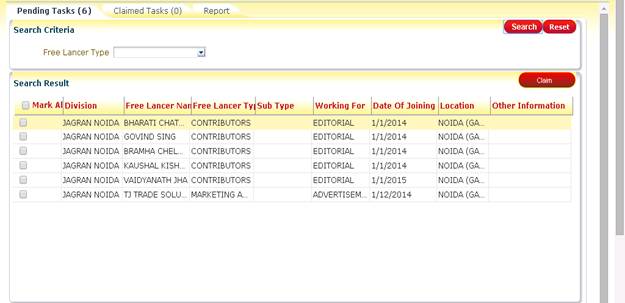
How to approve a task?
Here are some steps by which the user can
approve any task:
Step
1: Search pending tasks to be claimed.
Step
2: Select task by marking individual task or by .
Claim tasks by clicking
.
Claim tasks by clicking 
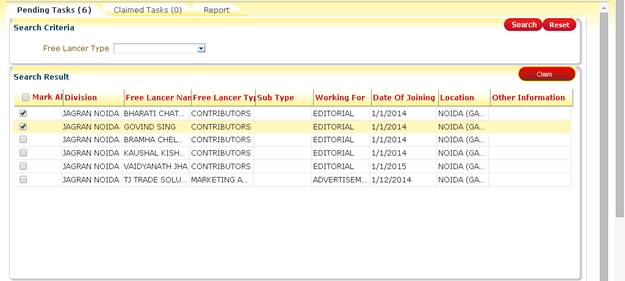
Step
3: Change tab by clicking ‘Claimed Task’ tab. Here the users
can Approve/Reject/Back tasks.
How can you see your Pending Task?
·
By clicking on  all pending task will be displayed.
·
Specify Search criteria and
then press (for a particular task).
What does ‘Reset’ Button do?
It will clear all the search criteria as it was as load time.
What
can you do with your Claimed Task?
Claimed
Task tab look like this:
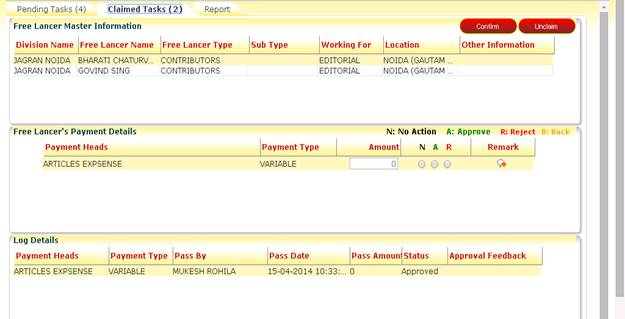

 There are 3 radio buttons are use to take
action like
There are 3 radio buttons are use to take
action like
A for Approve the record
R for reject the record
How to give Remark?
A popup will appear by clicking on .
User can add remark here.
.
User can add remark here.
What does ‘Confirm’
do?
All the changes will be saved after
clicking on ‘Confirm’.
What does ‘Unclaim’ do?
The claimed task will be reverted back and
the user can view them again on ‘Pending Task’ tab.
What can user do with
‘Report Tab’?
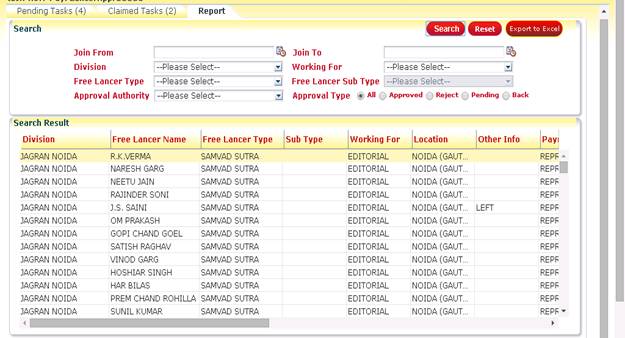
Here user can see employee profile related
details.
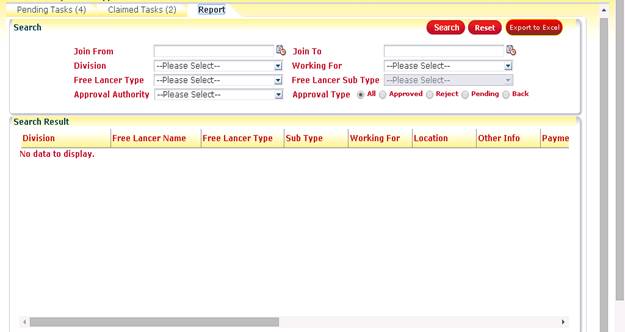
To see the details click on ‘Search’ button. Search options are also
provided to filter data.
Working with search options:-
There
are many search criteria provided in this Tab, such as:
·
 By
Default, this option will show current financial year. User can change the date
by selecting
By
Default, this option will show current financial year. User can change the date
by selecting  icon.
icon.
·
 Will show all the division for which login
employee has permission.
Will show all the division for which login
employee has permission.
·
 This option provides the list of Department.
·
 This option
provides the list of Sub Department.
This option
provides the list of Sub Department.
·
 This option will allow user to search All,
Approved, Pending and Rejected records.
This option will allow user to search All,
Approved, Pending and Rejected records.
What
does ‘Reset’ Button do?
It will reset all the filters.
How to print Report?
User can print report by clicking .
An Excel File will be generated at user end
.
An Excel File will be generated at user end