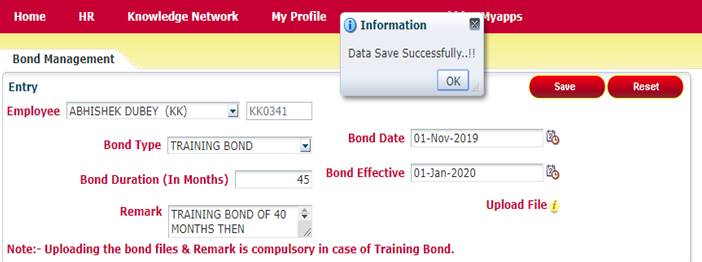
Employee Bond Management Module
What is the purpose of
the section?
This section is for
employee bond entry module.
Shown Below:-
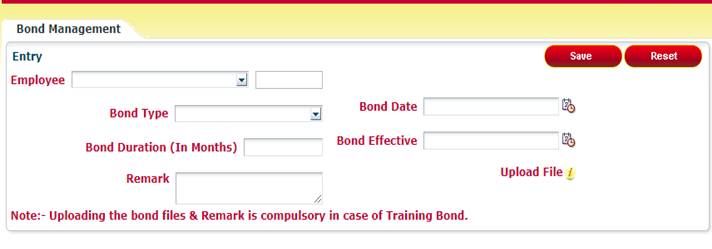
How to do entry?
Here are some steps by which you can make entry
:-
Step
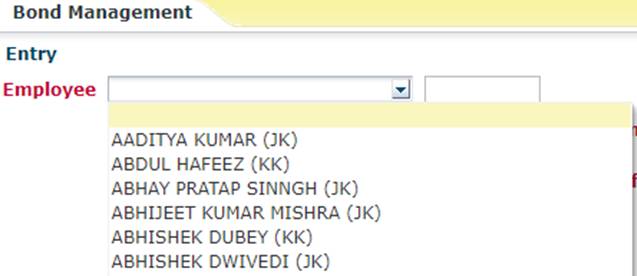
1: Select Employee from dropdown list.
Step
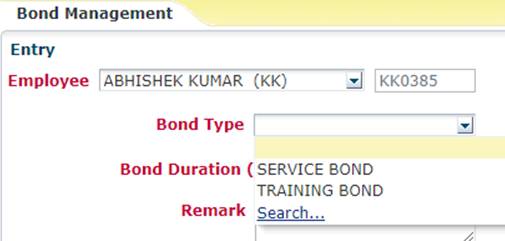
2: Select Bond type from
dropdown list.

Step
3: Bond Duration :- Enter the bond
duration in months only , maximum limit is 60 months.
Step 4: Remark :- When select the
“Training Bond” then remark is compulsory .
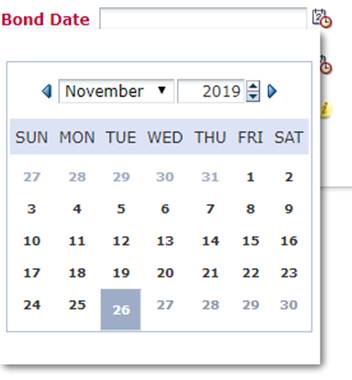
Step 5: Bond Date :- Only last month
(30 days) is allowed to make entry , no future date is allowed .
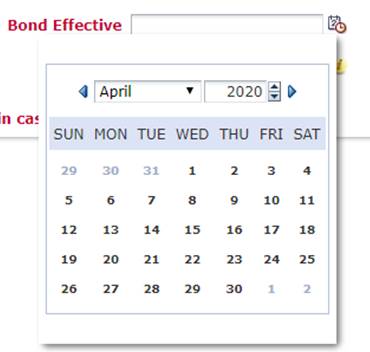
Step 6: Bond Effective Date:- Only
last month (30 days) is allowed to make entry , & next six (6 months) date
is allowed .
Upload File :-
Upload only JPEG/JPG & PNG Image files only ,
because other extension not supported.

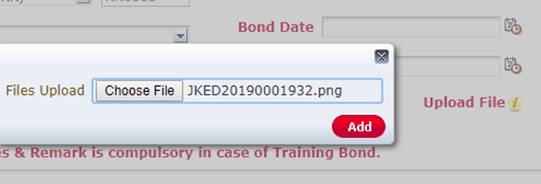
When you upload the file from browse with you local directory then
click the “ADD”
Button to store/save the file.
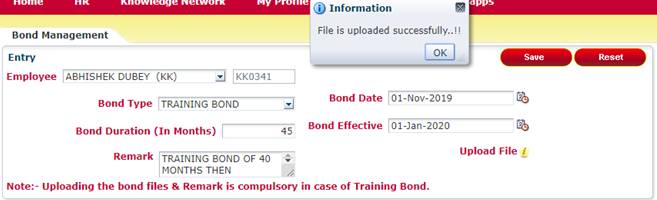
When all the entries completed and upload the
files successfully then click the “SAVE” Button to save the entry.
Shown in below image:-