Biometric Machine down
Approval Module
What is the Objective of
this Module?
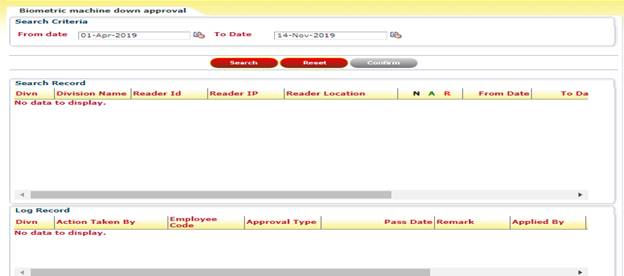
Biometric machine down Approval module is used
for performs any action like Approve, Reject for any pending down machine
records which is applied by HR person.
How can you see your
Pending Task?
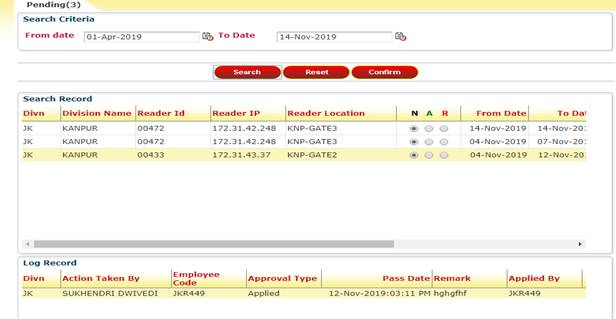
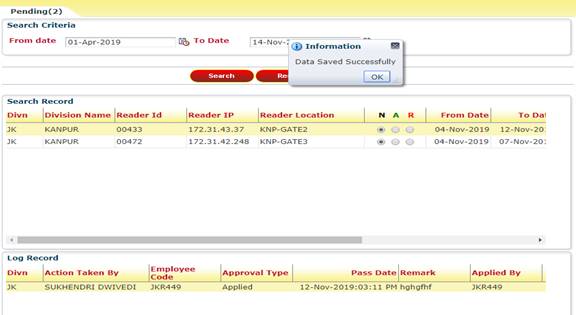
· Click on  to show all pending task.
· Select Search criteria
and then click on (for a selected data).
How to approve a task?
Here are some steps by which the user can approve any task:
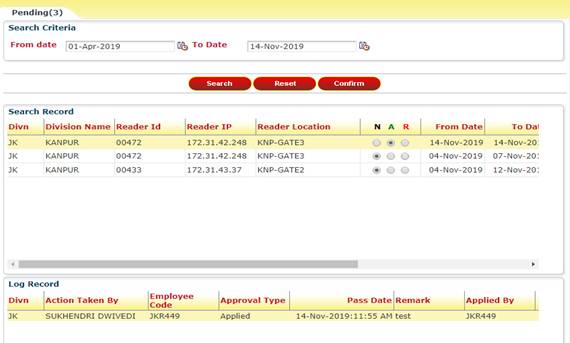
Step 1: The users can Approve/Reject tasks.
What does ‘Reset’ Button
do?
It will clear all the search criteria as it was as load time.
What can you do with
your search Tasks?
Task tab look like this:
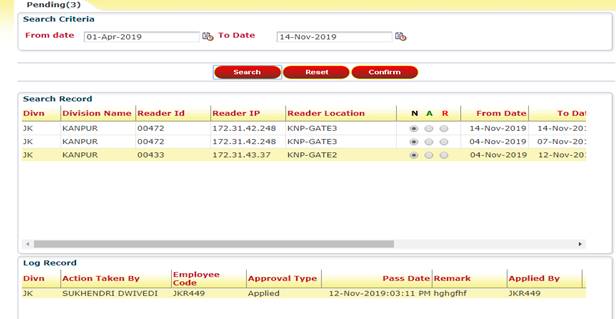

 There are 2 radio buttons are use to take
action like
There are 2 radio buttons are use to take
action like
· A: - for Approve the
record.
· R: - for reject the
record.
How to give Remark?
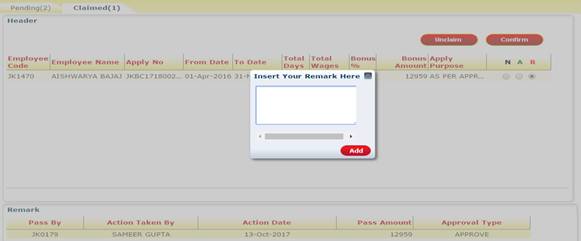
A popup will appear by clicking on REJECT radio button. User
can add remark here.
What does ‘Confirm’ do?
All the changes will be saved after clicking on ‘Confirm’.